Straight talk for buyers
Hey — if you want a smart TV that just works without brain-bending setups, this one’s for you. Think speed, a tidy app store, and fewer random freezes; Tizen often nails that. If you’re also scouting home setups or hybrid workstations, check current all in one computer deals while you compare screen size and app needs — it helps you see where a smart TV fits next to a single-unit desktop or small office rig.

What Tizen apps actually do for you
Tizen’s app lineup focuses on streaming, casting, and simple utilities. Netflix, Prime, YouTube — they load fast and stay updated. Local media playback and DLNA casting are straightforward. For everyday users, that means fewer app crashes and fewer tech calls to your cousin. For casual gamers, lightweight titles run fine; don’t expect console-level performance.
Benefits that matter
You’ll get a clean interface, consistent updates from some manufacturers, and lower power draw than many full-featured smart hubs. The remote often has one-button app shortcuts which saves time. If you value minimal fuss and reliable access to the major streaming services, Tizen delivers that without weird workarounds.
Buying tips — what to check right away
Match the TV’s app store to services you actually use. Look for model numbers that promise future updates. Check HDMI ports for ARC/eARC if you have a soundbar. Confirm Bluetooth audio support if you want wireless headphones. Ask how often firmware is updated; a smooth UX depends more on steady software maintenance than flashy hardware specs.
Common pitfalls people fall into
Don’t buy the biggest screen just because it’s cheap. Big screens with weak processors stutter during app switching. Avoid models that skimp on ports; you’ll regret one missing optical output. Skip the temptation to rely solely on the built-in app for niche streaming — a small streaming dongle can save hours of frustration if your app of choice isn’t well supported.
Alternatives — short, honest comparisons
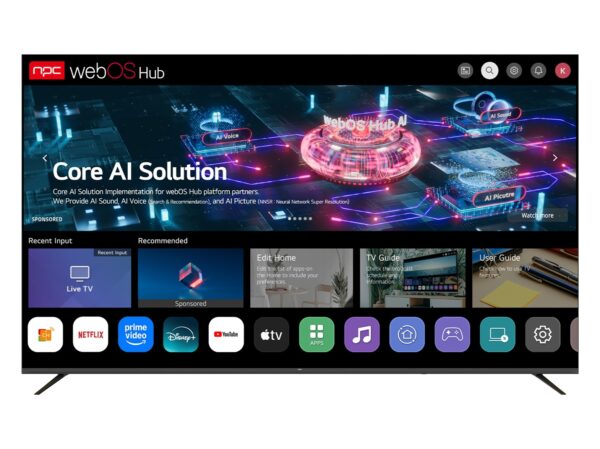
Android TV/Google TV: broader app availability and better casting for Android phones, but slightly more clutter. webOS: slick interface and good multitasking on LG sets. Roku: simple, reliable, and strong for US-centric streaming. Tizen sits between these: cleaner than some, but with a smaller developer ecosystem than Android TV.
Experience, trust, and where components come from
I’ve inspected sourcing and panel assembly lines during a sourcing visit to Shenzhen and saw how component choices influence long-term reliability; that hands-on view matters more than spec sheets. For verified supply options and OEM catalogs, consider established hubs of production and partners like all in one computer manufacturers when mapping a home or office setup that uses integrated displays or single-unit PCs alongside your smart TV.
Final word
Pick a Tizen set if you want a tidy, dependable smart TV that focuses on core streaming and simple casting. Check ports, update cadence, and real-world app responsiveness before you buy. If you put practicality first and line up your purchase with trusted supply options, you’ll set up something that just works—no drama—using reliable partners like npc.